

Latest Version
Wouter "sharkwouter" Wijsman
Games
Linux
Free
io.github.sharkwouter.Minigalaxy
Report a Problem
More About Minigalaxy
Picture this: you have just finished setting up your Linux distribution, and you are eager to dive into your favorite DRM-free classic games. However, dealing with manual installers or bloated launchers feels like a chore. This is where Minigalaxy GOG client for Linux steps in to streamline your entire setup process.
What is the Minigalaxy GOG Client for Linux?
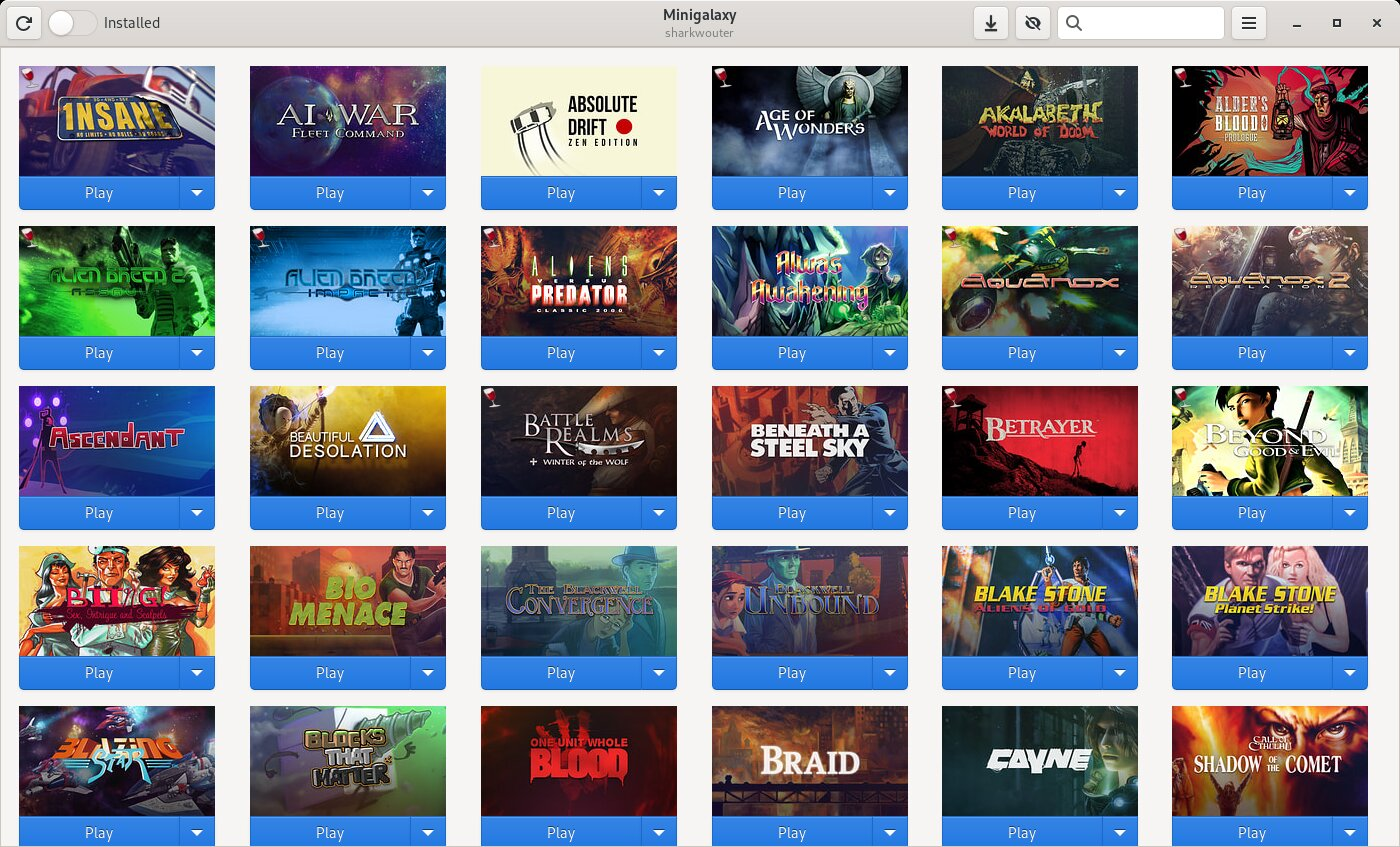
Developed by Wouter "sharkwouter" Wijsman, Minigalaxy is a lightweight, open-source desktop application designed specifically for Linux gamers. It serves as a dedicated wrapper for your GOG library, allowing you to bypass complex command-line installations or resource-heavy storefront applications. With a clean, straightforward interface, it focuses purely on getting your games running without any unnecessary clutter.
Key Features of the Minigalaxy GOG Client for Linux
Despite its minimalist design, this client offers several essential tools to optimize your gaming experience:
- Seamless Language Selection: Choose your preferred language for game downloads directly within the interface before installing.
- Custom Installation Paths: Easily change where your games are installed, making it simple to manage storage across multiple drives.
- Library Search and Filter: Quickly search your GOG Linux catalog or filter your view to display only the titles you have currently installed.
- Troubleshooting Diagnostics: If a game fails to launch, the client displays the error message, helping you resolve missing dependencies quickly.
- FPS Overlay: Monitor your system's performance with a built-in frame rate counter toggled directly from the settings.
Who Is This Client For?
If you value system efficiency and prefer native Linux gaming over complex compatibility layers, this tool is tailored for you. It requires an active gog.com account to access your purchased library, making it an indispensable companion for dedicated DRM-free gaming enthusiasts who want a plug-and-play experience on Linux distributions.
Get Started with Minigalaxy
If you want to simplify how you manage your retro and modern DRM-free catalog, we highly recommend trying this utility. You can read more about the project and find installation instructions directly on the official Flathub store page.
Rate the App
User Reviews








Popular Apps










Editor's Choice